
There is a pattern I have seen play out more times than I would like to admit, both in my own work and in projects I have observed from the outside. Someone spends weeks or months building a complete e-learning course, launches it to the full audience, and then discovers that a core navigation choice confuses people, or that the pacing is wrong, or that the content does not land the way it was supposed to. The fix at that point is expensive, time-consuming, and sometimes demoralizing for the team that built it.
Prototyping and piloting exist to interrupt that pattern. They are not extra steps bolted onto a design process; they are the parts of the process where you find out whether your ideas actually work before you have committed all your resources to them. What I want to do here is walk through how these two practices function, what makes each of them useful, and how user research fits into both.
Prototyping: Testing the Idea Before Building the Thing
Prototyping is the practice of creating preliminary versions of a course or module so you can get feedback, test assumptions, and iterate before full development. The prototype is not the product. It is a representation of the product that is cheap enough to change and concrete enough to generate useful reactions from the people who will eventually use the real thing.
The most common distinction in prototyping is between low-fidelity and high-fidelity approaches, and understanding when each is useful matters more than defaulting to one or the other.
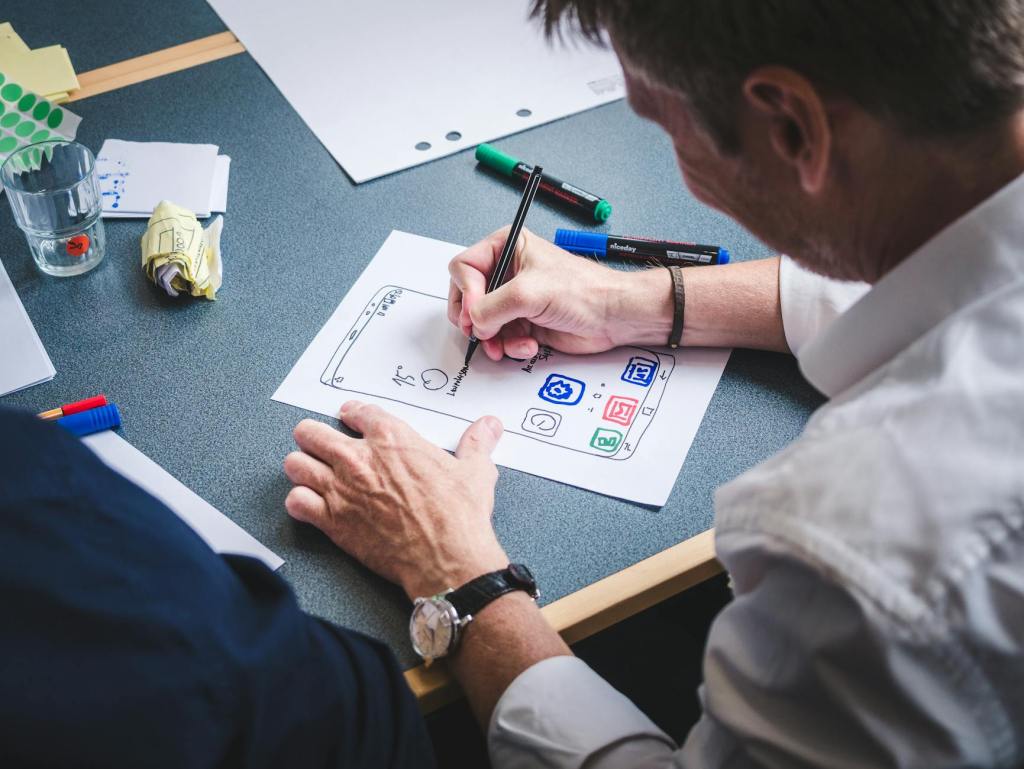
Low-fidelity prototypes are basic representations of ideas, often created with paper sketches, wireframes, or simple digital mockups. They are quick and inexpensive to produce, which means you can create them early in the design process when the concepts are still forming. Their simplicity encourages focus on overall structure and flow rather than visual details, and they are easy to modify based on feedback because nobody feels like they are throwing away a significant investment. The tradeoff is that they offer limited interactivity and can be difficult for some stakeholders to envision as a finished product. Not everyone can look at a wireframe and see the course it will become.
High-fidelity prototypes are more detailed and interactive, closely resembling the final product in both appearance and functionality. They give stakeholders and test users a much more accurate sense of what the experience will feel like, which makes them valuable for detailed usability testing and for building confidence among decision-makers who need to see something tangible before approving next steps. They can also surface technical issues early, before those issues become embedded in a fully built system. The tradeoff is that they take more time and resources to produce, and that investment can create resistance to making significant changes. When something looks polished, people are sometimes reluctant to rethink the fundamentals, even when the feedback suggests they should.
In practice, I have found that the most productive approach is to move through both stages deliberately. Start with low-fidelity prototypes for initial concept validation, where the goal is to find out whether the structure and flow make sense. Then progress to high-fidelity prototypes for more detailed testing and stakeholder buy-in, where the goal shifts to refining the experience and identifying issues that only become visible at higher resolution. Skipping the first stage often leads to expensive rework. Stopping at the first stage often leads to stakeholder hesitation.
Piloting: Testing the Experience With Real Learners
Where prototyping tests the design, piloting tests the entire learning experience with a sample of the actual target audience. This is the step where you find out not just whether the interface works, but whether people learn from it, whether the pacing holds their attention, and whether the overall experience produces the outcomes you intended.
Before launching a pilot, it is worth being clear about what you are actually trying to learn. A pilot can serve several purposes: validating whether the learning outcomes are being met, testing the usability of the platform, gathering feedback on content and instructional design, identifying technical problems in a real-use environment, or assessing learner engagement and motivation. These are different questions, and the data you need to answer them looks different for each one. Defining the purpose up front shapes everything that follows, from how you select participants to what you measure.
Designing an effective pilot involves a few consistent considerations. The participant group needs to represent your actual target audience, not just the people who happen to be available. The objectives need to be specific enough that you will know what success looks like when you see it. The timeline needs to be realistic, including time for data collection and analysis after the pilot itself ends. You need evaluation tools that match your objectives, whether those are surveys, interviews, observation protocols, or some combination. Participants need adequate support so that technical frustrations do not contaminate your feedback about the learning experience itself. And the data you collect should include both quantitative measures (completion rates, assessment scores, time on task) and qualitative feedback (what learners say about the experience, what you observe them doing), because each type fills gaps the other leaves.
The part that often gets overlooked is what happens after the data comes in. A pilot that generates useful information but does not lead to concrete revisions is a missed opportunity. The analysis step is where the pilot pays for itself, and it deserves dedicated time and attention rather than being squeezed into the margins of the next development sprint.
Where User Research Fits
Prototyping and piloting are both more effective when they are informed by intentional user research rather than relying on the design team’s assumptions about how learners will behave.
During prototyping, several research methods can sharpen the feedback you receive. Cognitive walkthroughs involve having users verbalize their thoughts as they navigate through a prototype, which surfaces confusion and frustration that might not be visible from the designer’s perspective. Card sorting helps you understand how users categorize and organize information, which directly informs the structure of your content. Usability testing lets you observe users interacting with the prototype and notice difficulties or unexpected behaviors they might not think to report. And A/B testing, where you create multiple versions of key elements like navigation or content presentation, lets you compare performance rather than relying on preference alone.
During piloting, user research expands to include methods that only become possible with a live or near-live experience. Learning analytics from your LMS can track engagement, progress, and performance patterns across the participant group. Surveys and questionnaires gather structured feedback on content, usability, and overall satisfaction. Focus groups allow for in-depth discussion that can uncover insights individual feedback misses. And longitudinal follow-up, when feasible, assesses whether the learning persists after the experience ends, which is ultimately the question that matters most.
The common thread across all of these methods is that they treat learners as the primary source of information about whether the design is working. That sounds obvious when stated plainly, but it is remarkably easy to skip in practice, especially when timelines are tight and the team feels confident in their design instincts. User research is the check on those instincts, and it almost always surfaces something the team did not anticipate.
The Iterative Reality
Prototyping and piloting are not discrete stages that you pass through once and leave behind. They are recurring parts of an iterative process where each cycle of testing and revision brings the experience closer to something that genuinely serves the learner. The first prototype will have problems. The pilot will reveal things you did not expect. That is not a failure of the process; it is the process working as intended.
What I have found in my own design work is that the projects where I invested time in prototyping and piloting early, even when it felt like it was slowing things down, consistently produced better outcomes than the ones where I rushed to build a finished product. The time you spend testing ideas before full implementation is not added time. It is time you would have spent later fixing problems that were harder and more expensive to address.
If you are working on a learning experience and thinking about where prototyping or piloting might fit into your process, or if you have stories about what these practices revealed in your own projects, I would enjoy hearing about it. You can reach me at licht.education@gmail.com, and you can find more writing on learning design topics at bradylicht.com.
 Brady Licht