
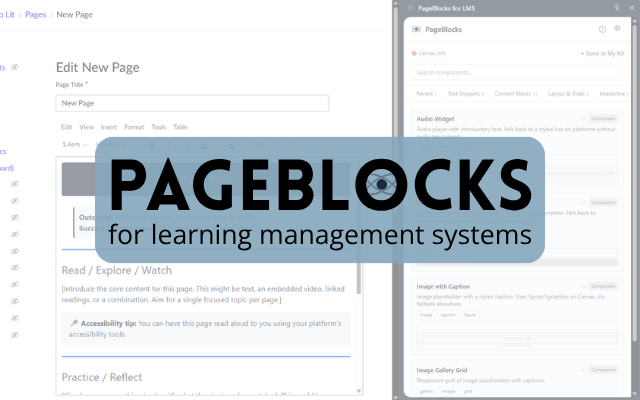
PageBlocks for LMS
Free course design components for Canvas, Schoology, and Moodle. Build professional pages without coding.
Free and open source. No account required. CC BY 4.0.
The problem
Every LMS gives teachers two options for building course pages: a basic rich text editor that produces pages that look like plain Word documents, or an HTML editor that requires coding skills most teachers don’t have and shouldn’t need.
Tools like Cidi Labs DesignPLUS solve this for Canvas, but they cost money and require admin-level installation. Individual teachers, especially in lower-spending districts, have no path to professional-looking course pages on their own.
How it works
- Open the panel. Click the PageBlocks icon in your toolbar. The component library opens in Chrome’s side panel alongside your LMS page.
- Pick a component. Browse by category, search, or check your favorites. Configure options like colors, column count, or variant style.
- Copy HTML. One click copies the generated HTML to your clipboard. Platform-specific paste instructions appear right below the button.
- Paste and edit. Switch to your LMS’s HTML editor, paste, switch back to rich text view. Your component appears with full styling. Edit the placeholder text.
Built on atomic design
37 components organized in three tiers, from simple text blocks to complete page scaffolds.
Tier 1: Text Snippets
Pre-written, research-backed text blocks. These are the building blocks: paste and edit the placeholder text.
Includes: Outcomes and success criteria, Square/Circle/Triangle reflection, Show/Slow/Grow self-assessment, Explore and Ponder table, accessibility reminders, social media prompts.
Tier 2: Code Components
Styled HTML elements with visual design and structure. These give a page hierarchy, interactivity, and professional polish.
Includes: Callout boxes, banners, accordions, tabbed content, responsive grids, scenarios with dialog feedback, practice checks, timelines, rubric previews, glossary tables, video embeds, audio widgets, image galleries, and more.
Tier 3: Page Templates
Complete page scaffolds combining multiple components into cohesive structures. Fill in your content and go.
Includes: Course home page, course overview, instructor info, module overview, module content page, assignment page.
Features
- Your school colors. Set your institution’s branding palette once and every component uses it automatically. Reset to defaults anytime.
- Personal component kit. Save your own custom HTML components, edit them, organize by category, and share them with colleagues via JSON export.
- Platform-aware rendering. Components automatically adapt to your LMS. Canvas components use native Bootstrap grid and theme buttons. Other platforms get inline-styled equivalents.
- Accessibility checking. Custom components are checked for WCAG AA contrast ratios, missing alt text, heading order, and other accessibility issues when you save them.
- Favorites and recent. Star the components you use most. Recently copied components appear in their own tab so you can find them quickly.
- Zero data collection. No account, no server, no tracking. Everything runs in your browser and syncs through Chrome’s built-in storage. Nothing leaves your device.
Grounded in research
Every pedagogical component in PageBlocks is linked to research on effective instruction. Effect sizes from Hattie, multimedia learning principles from Mayer, self-regulated learning from Zimmerman, and more. The components aren’t just visually better; they’re structurally designed around how people learn. Toggle “Show research notes” in settings to see the citations alongside each component.
Professional course pages in under a minute
37 components. Free forever. No coding, no admin install, no account.
PageBlocks for LMS by Brady Licht
Built on the Atomic Design System for Canvas
Privacy Policy | CC BY 4.0
 Brady Licht