
Note: Due to contractual requirements, the specific state education department involved in this project cannot be identified. This case study focuses on the UX design process while maintaining client confidentiality. Select screenshots from the initial report will be provided that do not reveal the client’s identity.
Project Overview
Working with a state education department and historical society, I led the initial user experience design exploration for a comprehensive history resource website. The project aimed to create an intuitive platform connecting educators with historical society content while aligning with state standards.
The Challenge
As stated in the initial project brief: “The project aims to provide a website which acts as a resource and support for educators on the social studies state standards that pulls from historical society content.”
The primary challenge involved creating a user-friendly interface that would effectively bridge the gap between historical society archives and classroom instruction. Key considerations included:
- Seamless integration with existing educational tools
- Intuitive navigation of extensive historical content
- Alignment with state social studies standards
- Accommodation of diverse teaching needs across grade levels
Methodology
Initial Research and Planning
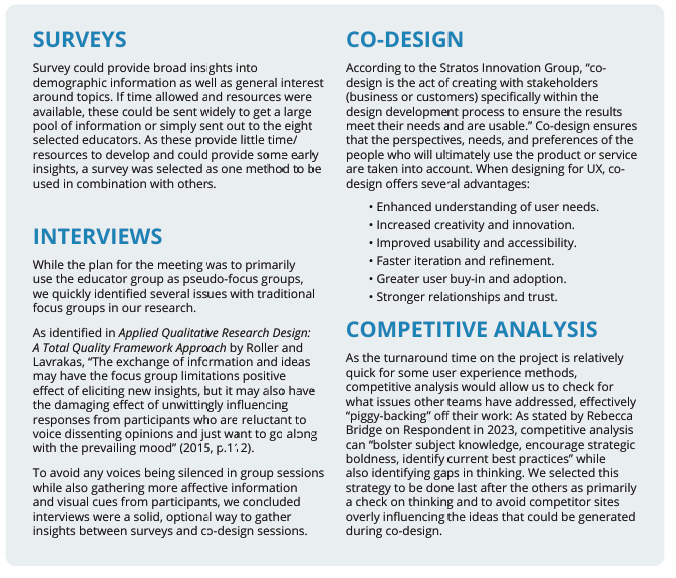
The project began with a thorough evaluation of UX design methodologies, carefully selected to balance project goals with available resources and timeline constraints. I established a structured approach incorporating:
- Pre-planning evaluation of UX methods
- Team kick-off sessions
- Survey and interview question development
- Design bias recognition exercises
- Multiple ideation phases
Competitive Analysis
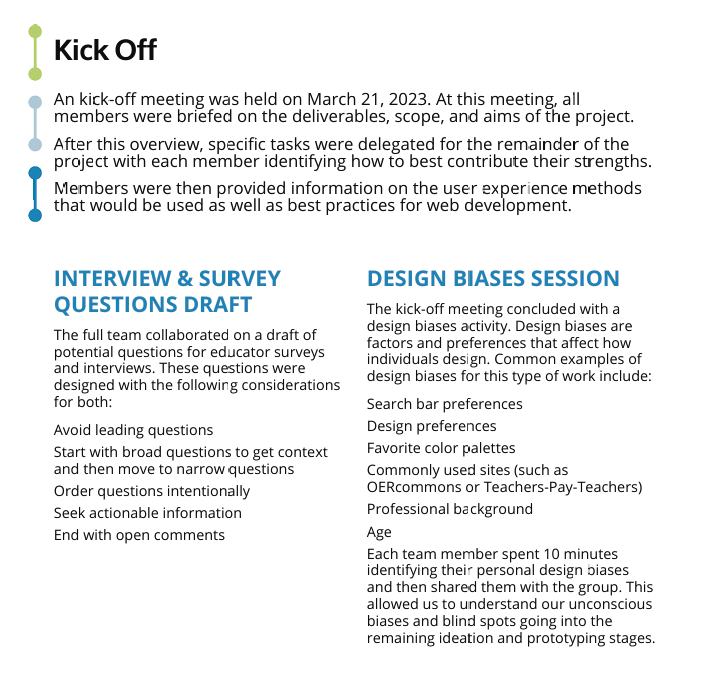
A comprehensive analysis of 23 educational resource websites revealed valuable insights into effective design patterns. Four exemplary platforms emerged as particularly instructive models:
- PBS Learning Media: Excellence in content organization and search functionality
- TeachItCT: Strong local/regional connection integration
- DocsTeach: Innovative approach to document-based learning
- Teaching California: Effective grade-level organization
Ideation Process
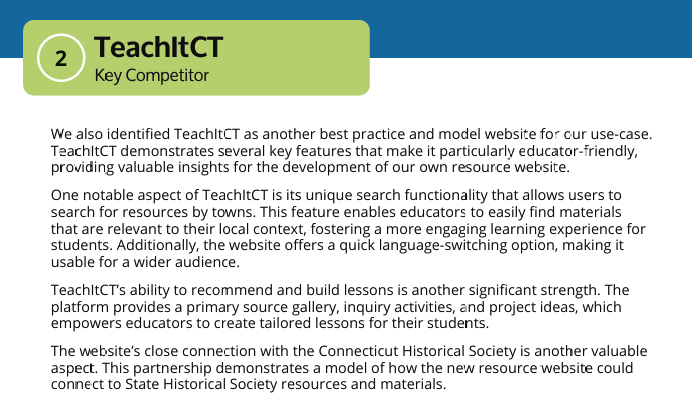
The ideation phase employed three distinct co-design approaches:
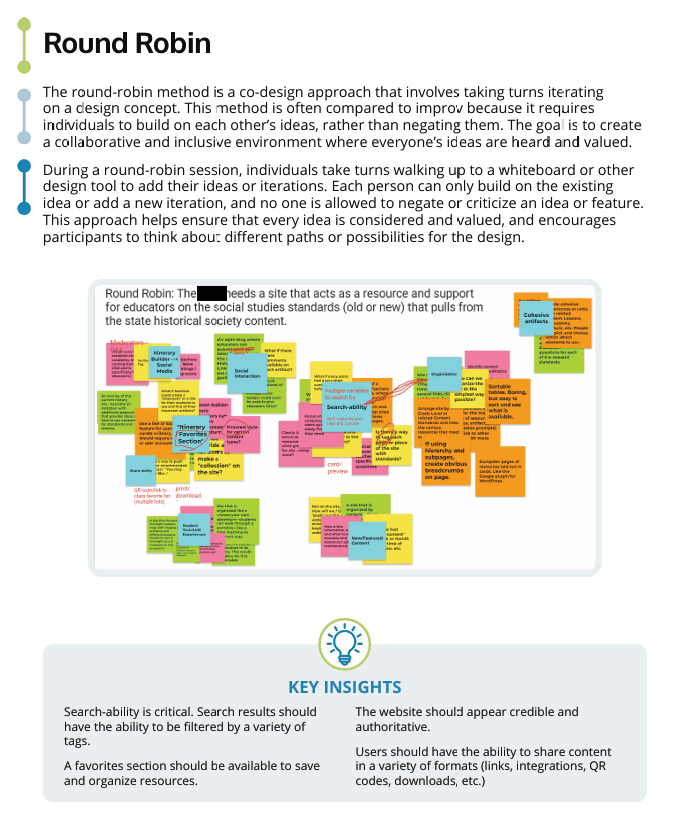
Round Robin Method
- Implemented turn-based iterative design sessions
- Focused on building upon others’ ideas rather than criticism
- Generated collaborative solutions for content organization
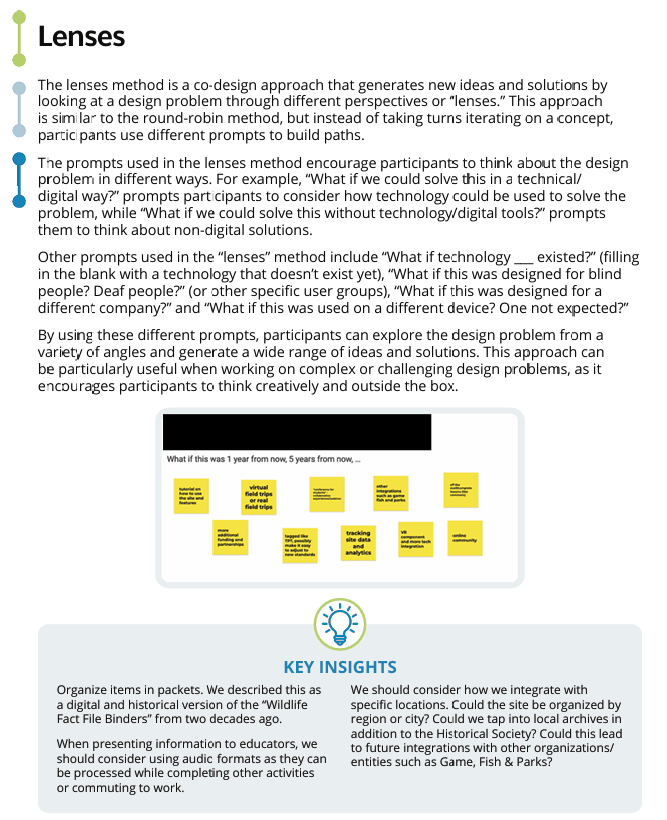
Lenses Method
- Examined design challenges through multiple perspectives
- Used prompts to encourage creative problem-solving
- Explored various user scenarios and needs
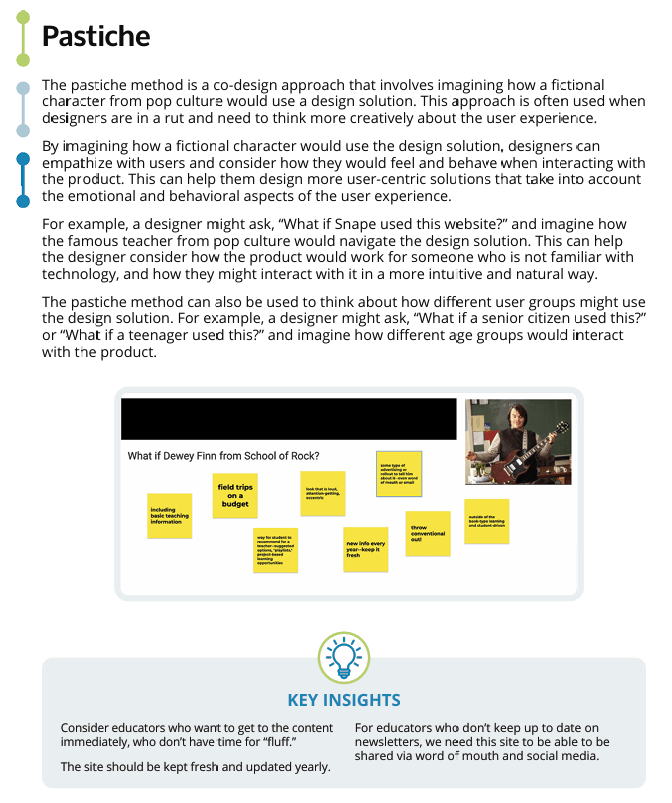
Pastiche Method
- Imagined how different user personas would interact with the platform
- Generated insights about various teaching styles and preferences
- Identified potential usability challenges
Key Findings
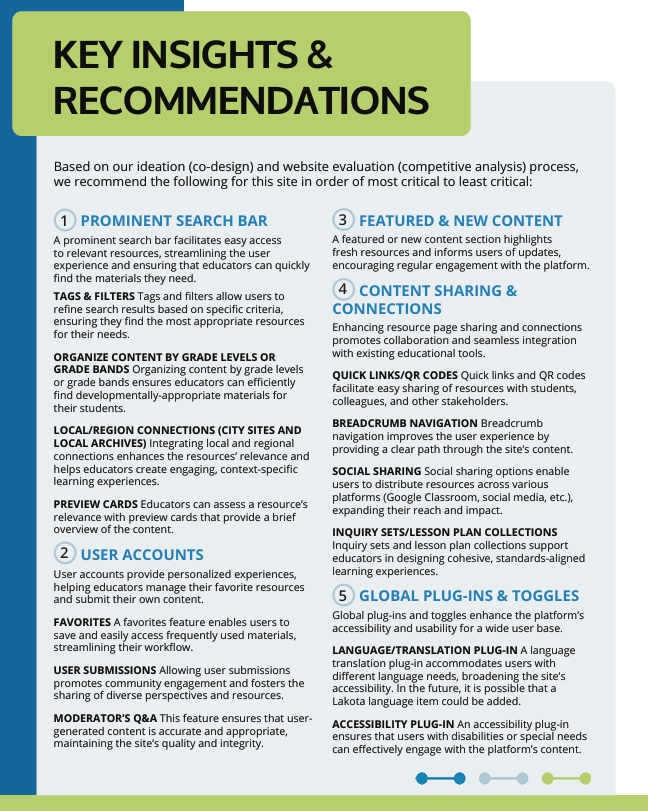
Critical Features
The research and ideation process revealed several essential features for the platform:
- Search and Navigation
- Prominent search bar with advanced filtering capabilities
- Clear organization by grade levels/bands
- Multiple access points to content
- Content Integration
- Local/regional connections to historical materials
- Standards alignment indicators
- Preview functionality for quick resource assessment
- User Experience
- Personalized user accounts
- Resource favoriting system
- Collaborative sharing features
Design Recommendations
Based on our findings, we developed a hierarchical set of recommendations:
Primary Features
- Intuitive search functionality with robust filtering
- Grade-level content organization
- Local/regional content integration
Secondary Features
- User account capabilities
- Resource sharing tools
- Featured content sections
Tertiary Features
- Language translation options
- Accessibility enhancements
- Analytics tracking
Challenges and Solutions
Content Organization
Challenge: Balancing comprehensive historical content with easy navigation.
Solution: As highlighted in our competitive analysis findings: “Teaching California’s organization of content by grade levels or grade bands allows educators to quickly access materials that are developmentally appropriate for their students.” This insight led us to implement a multi-faceted organization system combining chronological, thematic, and grade-level access points.
User Engagement
Challenge: Maintaining educator interest and repeated platform visits.
Solution: Our pastiche ideation sessions revealed that “for educators who don’t keep up to date on newsletters, we need this site to be able to be shared via word of mouth and social media.” This led us to develop a dynamic content strategy featuring rotating highlighted resources and user-curated collections.
Technical Integration
Challenge: Ensuring seamless integration with existing educational tools.
Solution: Prioritized compatibility with common learning management systems and provided multiple sharing options.
Results and Impact
The initial design exploration phase produced:
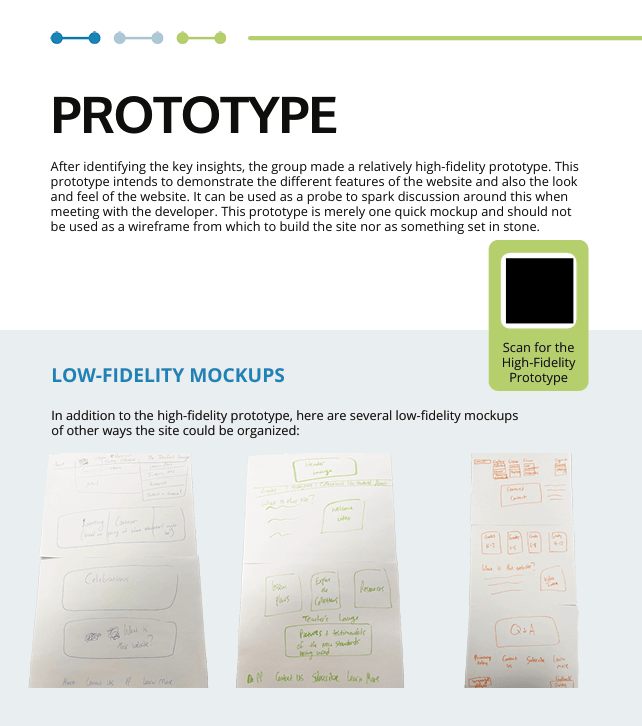
- A high-fidelity prototype demonstrating key functionality
- Multiple low-fidelity mockups exploring alternative approaches
- Comprehensive documentation of design recommendations
- Framework for future development phases
Lessons Learned
Process Insights
- Early stakeholder involvement proved crucial for alignment with educational needs
- Competitive analysis provided valuable shortcuts to effective solutions
- Multiple ideation methods generated more comprehensive solutions than single-approach brainstorming
Design Insights
- Educator workflow consideration significantly influenced navigation design
- Grade-level organization emerged as a primary organizing principle
- Search functionality requirements exceeded initial expectations
Conclusion
The exploratory design phase established a solid foundation for developing an educational resource platform that effectively bridges historical content with classroom instruction. Through careful consideration of user needs, existing solutions, and educational requirements, we created a framework that promised to deliver an intuitive and valuable tool for educators. This framework was then submitted to the client who brought it to their web development team.
 Brady Licht